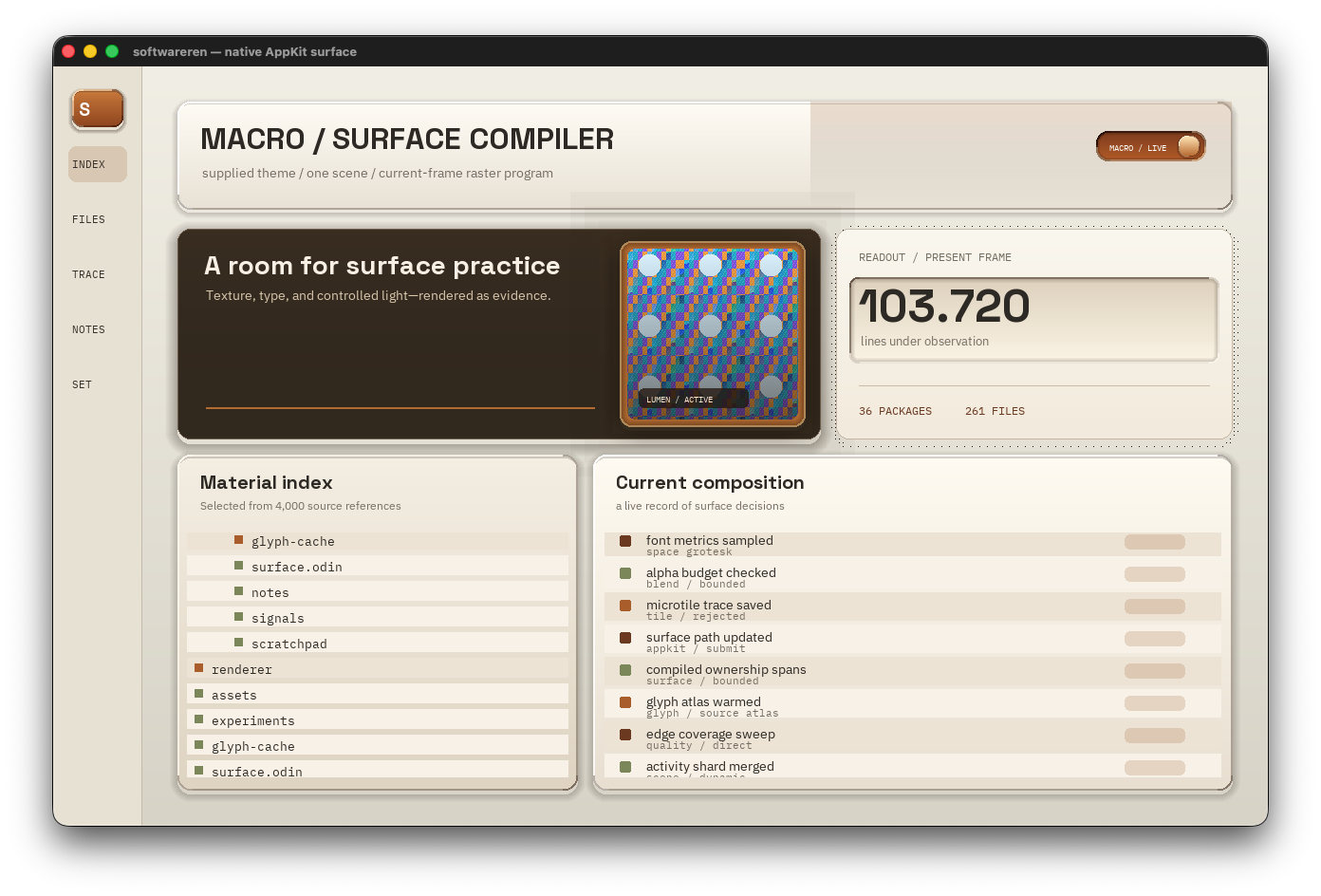
I’ve been working on the software renderer used in Vigil. I wanted rounded panels, gradients, shadows, and real text, without making every visual detail another expensive operation across the entire screen.
The approach is to describe common UI materials in a form the renderer understands, remove repeated work, and use those descriptions to decide which parts of the image need drawing at all.
I’ll call these descriptions raster macros. Before getting into the implementation, a small note about the terminology:
- A macro is a parameterized drawing recipe, such as a rounded fill or a panel with a border.
- A program is an ordered list of those drawing operations.
- Compilation is the preparation step that validates the descriptions, resolves their parameters, and applies some safe simplifications.
There is no machine-code generation or language macro system involved. These are mostly structs, arrays, and ordinary drawing procedures.
I’ll use pseudocode to keep the examples short. I’ve uploaded a gist which shows the basic implementation from which you can build further upon.
Start with a rectangle
At its simplest, software rendering means writing colors into a pixel buffer. For a 32-bit target, a pixel at (x, y) lives at pixels[y * pitch + x], where pitch is the distance between row starts, measured in pixels.
An opaque color replaces the destination pixel completely. Drawing an opaque rectangle is easy:
rect = intersect(rect, target_bounds)

for y in rect.top ..< rect.bottom:
    for x in rect.left ..< rect.right:
        pixels[y * pitch + x] = color
Clipping restricts drawing to the allowed rectangle. We do that once, then write consecutive pixels.
A rounded rectangle needs a little more information. The most direct version visits its bounding rectangle and checks each pixel:
for each pixel in the clipped bounding rectangle:
    if pixel is inside the rounded shape:
        write color
A gradient can add a color calculation at each pixel. Borders add edge tests; shadows can add distance calculations or mask samples. Across a whole interface, that work accumulates.
At 2560 × 1600 there are 4,096,000 pixels. Writing a fresh 32-bit image already means producing about 15.6 MiB of pixel data. But “we rendered 4 million pixels” doesn’t tell us whether each pixel needed one store or several geometry tests, source reads, blends, and stores.
Use what we know about the shape
A rounded rectangle has one continuous horizontal interval on each row. Once we know the interval’s endpoints, every pixel between them belongs to the shape.
That interval is a span. I’ll write it as [left, right), with the right endpoint excluded.
          [##################)
       [########################)
     [############################)
     [############################)
     [############################)
       [########################)
          [##################)
Most rows span the full width. Only the corner rows need their endpoints moved inward. I’m using integer-aligned shapes with hard edges here; smooth edge coverage is a separate step.
We can calculate those corner insets once for each supported radius and store them in a table:
// Initialization, once.
for each supported radius:
    for each row in its top corner:
        radius_profile[radius][row] = calculate_corner_inset(radius, row)
The bottom corner uses the same profile in reverse. At draw time:
for y in the shape's visible rows:
    if y is a straight body row:
        left, right = shape.left, shape.right
    else:
        inset = radius_profile[shape.radius][corner_row(y)]
        left, right = shape.left + inset, shape.right - inset

    fill_span(y, left, right, color)
fill_span clips the interval and writes its pixels. It never asks whether those pixels are inside a circle.
For a 240 × 80 panel with radius 12, we have 56 straight rows and 24 corner rows. The bounding-box version performs 19,200 coverage tests. The row version calculates 80 spans, with 24 profile lookups.
We haven’t removed the covered-pixel writes. We’ve removed the need to discover the same simple geometry independently at every pixel.
Share the color calculation too
A vertical gradient has the same color across a whole row. We can calculate it before entering the fill loop:
for y in the shape's visible rows:
    left, right = rounded_span(shape, y)
    t = (y - shape.top) / max(1, shape.height - 1) // Fractional division.
    color = interpolate(top_color, bottom_color, t)
    fill_span(y, left, right, color)
Our 80-row panel now needs 80 gradient calculations.
The gradient position is relative to the original shape. If clipping removes its top half, the remaining half must keep its original colors. That detail will matter again when we divide the image between workers.
Alpha controls opacity: here, 0 is transparent and 255 is opaque. Blending combines a translucent color with the destination. We can choose the operation once for a constant-color span:
if color.alpha == 0:
    return
else if color.alpha == 255:
    overwrite the span
else:
    blend the span over the destination
An opaque overwrite avoids reading and blending the old destination color. Images and glyphs can vary within a span and need their own sampling routines.
Skip the empty part
An outline shows a different saving. Here we can avoid visiting most of the bounding rectangle altogether.
Take a 600 × 400 rectangle with a two-pixel border. The bounding rectangle contains 240,000 pixels. The border contains:
600 × 400 - 596 × 396 = 3,984 pixelsInstead of checking all 240,000 candidates, find the outer and inner interval on each row. Their difference is the outline:
outer:   [----------------------------)
inner:       [--------------------)
outline: [---)                    [---)
for y in the outline's visible rows:
outer = rounded_span(outer_shape, y)
inner = rounded_span_if_present(inner_shape, y)
fill the intervals in outer minus innerMiddle rows produce two short spans. Top and bottom rows may produce a full span. We don’t walk through the empty interior checking whether each pixel should be rejected.
Put a material together
A panel can be a small recipe:
panel:
    bounds, radius
    top_color, bottom_color
    border_width, border_color

draw_panel(panel):
    draw rounded gradient body
    draw rounded outline
We can change a panel’s size, radius, or colors without preparing a new image asset.
But the recipe still writes the gradient underneath its border, then overwrites it. Calling it a macro hasn’t removed that work yet.
If the border is opaque, we already know the final owner of those pixels. We can partition the row before drawing:
before:
    gradient [==================================)
    border   [==)                            [==)

after:
    border   [==)                            [==)
    gradient     [==========================)
for y in the panel's visible rows:
outer = rounded_span(panel.shape, y)
inner = rounded_span_if_present(inset_shape, y)
fill outer minus inner with border_color
if inner exists:
fill inner with this row's gradient_colorNow each covered panel pixel gets one store from this material. Rows containing only the border don’t need a gradient calculation either.
The opaque condition is important. A translucent border still needs the body’s contribution. Removing that contribution would change the image.
The companion example implements this combination explicitly and checks it against the two-pass recipe. My renderer doesn’t automatically derive it for arbitrary command stacks.
It also only removes overlap within this panel. If we already painted a background underneath it, those earlier stores still happened.
Keep effects bounded
I use the same outer-minus-inner idea for direct shadows: a small number of rounded rings, each with one alpha value.
for each shadow ring:
    alpha = falloff(ring_index)
    for y in its visible rows:
        outer = rounded_span(ring.outer_shape, y)
        inner = rounded_span_if_present(ring.inner_shape, y)
        blend the intervals in outer minus inner
The work follows the rings instead of scanning the panel interior. The restriction is visual: this produces a stepped shadow, not an arbitrary soft blur. Wider effects still cost more rows and pixels.
For a softer result, I also prepare and blur a bounded alpha mask—a small surface storing coverage. That coverage can be reused while the shape and blur structure remain compatible.
Clearing the shadow-casting panel’s interior from one such mask reduced shadow composite stores from 53,572 to 15,288 per frame. The compositor still examines mask locations; it avoids blending and writing pixels the opaque panel would replace. The direct ring path avoids visiting those interior pixels altogether.
Remove hidden commands
The prepared command list can also remove a decorative fill that a later opaque rectangle completely covers. None of that fill’s geometry, shading, or stores needs to run.
This requires checking clips, effect reach, and whether the command has other responsibilities, such as owning an interaction target. A rounded shape’s bounding box doesn’t prove opaque coverage in its corners.
My compiler keeps this conservative: remove fully covered eligible commands and merge compatible adjacent fills. It doesn’t solve final pixel ownership for the whole scene. The preparation must cost less than the work it saves.
Parallel rendering
We can divide the remaining work between CPU cores. Commands normally execute in paint order: back layers first, then the layers on top. A serial renderer looks like this:
for command in commands, in paint order:
    paint(command, rows = [0, height))
Giving each command to a separate worker would be a problem. Commands overlap, so workers could race over the same pixels or blend them in the wrong order.
Instead, give each worker a different horizontal band. Each band processes the commands in their original order, clipped to its own rows:
render_band(top, bottom):
    for command in commands, in paint order:
        paint(command, clipped_to_rows = [top, bottom))
The original clip still applies, and shadow bounds include their reach beyond the body. Gradients keep the shape’s original coordinates, so they don’t restart at each band.
Then the frame runs like this:
prepare commands and shared effect coverage
worker_count = clamp(configured_workers, 1, height)

for i in 0 ..< worker_count:
    band[i] = [height * i / worker_count,
               height * (i + 1) / worker_count)

enqueue all but one band into a persistent worker pool
render the last band on the calling thread
wait for the queued bands
present the image
With integer division, these bands cover every row exactly once. Workers share immutable commands and write different rows. Keep counters local to each worker and combine them after completion.
A prepared mask shadow stays in paint order inside each band: earlier commands, shadow, later commands. The frame needs only one dispatch-and-wait cycle.
Parallelism doesn’t remove pixel work. It reduces elapsed time by doing independent work concurrently. Task overhead, memory throughput, and the slowest band limit the benefit.
I tried work-weighted bands, but preparing them could cost more than they saved. Equal bands were a useful simpler choice.
Avoid drawing the same result again
Most UI interactions don’t change the whole image. If a region’s result is unchanged, even the best fill loop is unnecessary work. We can keep the existing pixels.
rxi’s Cached Software Rendering describes this pattern: record commands, hash their contributions into screen regions, and redraw changed regions. It doesn’t require macros, but our descriptions already expose the parameters and bounds the cache needs.
Compare descriptions
I divide the screen into 64 × 64 tiles. Each gets a fingerprint: a hash summarizing the ordered drawing inputs that can affect it.
initialize current tile fingerprints

for command in prepared_commands, in paint order:
    contribution = hash(command's pixel parameters and source identity)
    for tile touched by command.write_bounds:
        tile.fingerprint = combine(tile.fingerprint, contribution)

dirty_tiles = tiles whose fingerprint differs from the previous frame
Hash geometry, colors, clips, material choices, and source identity/version. Leave out metadata that changes no pixels, such as an interaction ID.
Order matters: swapping two translucent layers can change the result. Accumulate contributions in paint order.
A 600 × 400 translucent rectangle aligned at the origin needs 240,000 blends to draw. At this tile size it contributes to 10 × 7 fingerprints: 70 updates, plus preparation and hashing.
We can skip those blends only when all contributions to the affected tiles are unchanged. If the background changes, the translucent rectangle must be composited again. The comparison covers the whole tile, not just the rectangle’s own parameters.
Keep the clean pixels
If nothing changed, skip rasterization. If only a few tiles changed, keep the clean pixels and reconstruct the dirty tiles from the current commands.
if dirty_tiles is empty:
    skip drawing
else if changes cover a small part of the target:
    for tile in dirty_tiles:
        establish a fresh base for this tile
        replay commands in paint order, clipped to the tile
else:
    render the full image using row bands
An opaque background command covering the tile can establish the base; otherwise clear the tile first. Blending onto the previous finished image would accumulate the wrong colors.
Imagine a popup moving from one tile to another:
previous frame:
    tile A: background, popup
    tile B: background

current frame:
    tile A: background
    tile B: background, popup
Both fingerprints change. Tile A restores the background; tile B draws the popup at its new position. The UI doesn’t need a separate instruction to erase it.
The same reasoning handles removal, shrinking, clip changes, and changes to alpha. Write bounds must include everything the command can affect, including a shadow halo or glyph overhang.
The cache retains the valid pixels in the window surface. It doesn’t need a separate screenshot for every component. On the first frame, after a resize, or after replacing that surface, those pixels aren’t known to be valid and we need a full redraw.
When caching helps
Preparation and hashing still cost time. Dirty-tile replay can revisit the command list several times, and conservative bounds can redraw extra pixels. Broad scrolling or animation may leave little work to skip, so the full renderer still matters.
The application can also avoid submitting a frame when nothing needs updating. And presentation is separate: an exposed window may need the existing image shown again without drawing new pixels.
Results
The useful reductions are concrete: 19,200 coverage tests become 80 row spans; a 240,000-pixel bounding rectangle becomes 3,984 border pixels; an opaque panel border no longer needs a gradient written underneath it. Caching can then remove the raster work for unchanged regions entirely.
These are work counts, not speedup factors. In one complete 1280 × 800 scene I still measured about 2.67 million stores and 467,000 alpha blends per frame—roughly 2.61 stores per screen pixel. No commands were pruned in that measurement. The renderer still had overlap and blending to handle.
A renderer can already use spans and remain slow because preparation, effects, overdraw, or worker waiting dominate. Measure those separately, along with presentation. There’s no single change here that makes all the others unnecessary.
The limited vocabulary matters too. These routines aren’t a general path or shader system. A rare illustration can remain an image source, and smooth edges need coverage information beyond the integer profiles shown here.